A handy video player for your next movie session
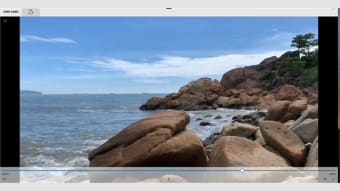
HEVC Video Player, as the name suggests, is a media player that’s built to deliver smooth playback of H.265/HEVC files alongside other popular formats like MP4, MOV, WMV, and AVI. With support for common audio codecs and SSA/ASS subtitle formats, it promises a comprehensive multimedia experience.
Top Recommended Alternative

However, user feedback shows that HEVC Video Player’s performance is still a hit or miss. While it excels in handling HEVC content, issues with certain formats indicate room for improvement. Compared to the numerous other video players available on the market, including VLC Media Player and PotPlayer, this app fails to stand out.
Customize your watching experience
HEVC Video Player leverages libde265 to deliver seamless playback of H.265/HEVC content, offering compatibility with a range of popular video formats. One of this program's standout features is its versatility in handling subtitles. Users can effortlessly enable external subtitle files and fine-tune settings like duration and delay, ensuring a tailored viewing experience. The option to prevent subtitle overlap further enhances usability, catering to meticulous viewers keen on uninterrupted immersion.
Another notable feature of this application is that it offers basic yet effective video editing capabilities. Users can tweak parameters such as brightness, contrast, and saturation to enhance visual quality, adding a layer of customization to their viewing journey. This can be a helpful tool for users who want to do some quick editing for a basic project or if they simply want to improve the quality of the video they’re watching.
Despite its strengths, it is not without its shortcomings, either. Reports of compatibility issues with certain formats — MOV video files in particular — highlight areas for optimization. Additionally, while the player's subtitle management and editing tools offer commendable functionality, they still lack the depth and sophistication demanded by advanced users. As previously mentioned, the program doesn’t offer anything particularly unique, either, so it falls behind when considering the expansive market of media players.
Still has a long way to go
Overall, HEVC Video Player fills a crucial niche in the media player market by offering robust support for H.265/HEVC content. Despite its versatility in handling subtitles and offering basic video editing capabilities, there’s still a lot of room for improvement, especially concerning compatibility issues with specific video formats. While functional, it lacks the unique features to distinguish itself in a crowded market dominated by established competitors.